PlantSingleCell
Launching RStudio via ARC Open OnDemand (Virginia Tech)
This guide walks you through the steps required to access RStudio on the ARC Open OnDemand portal at Virginia Tech.
Step 1: Connect to VPN (optional, for off campus and no eduroam use only)
Use the Ivanti Secure Access Client to connect to the VT VPN.

Step 2: Login with VT Credentials
When prompted, enter your VT PID as the username and your VT password.

Step 3: Open ARC Open OnDemand
Navigate to the following URL in your browser:
This will bring you to the ARC Open OnDemand dashboard.

Step 4: Launch RStudio
From the Open OnDemand dashboard, locate the RStudio Server application.
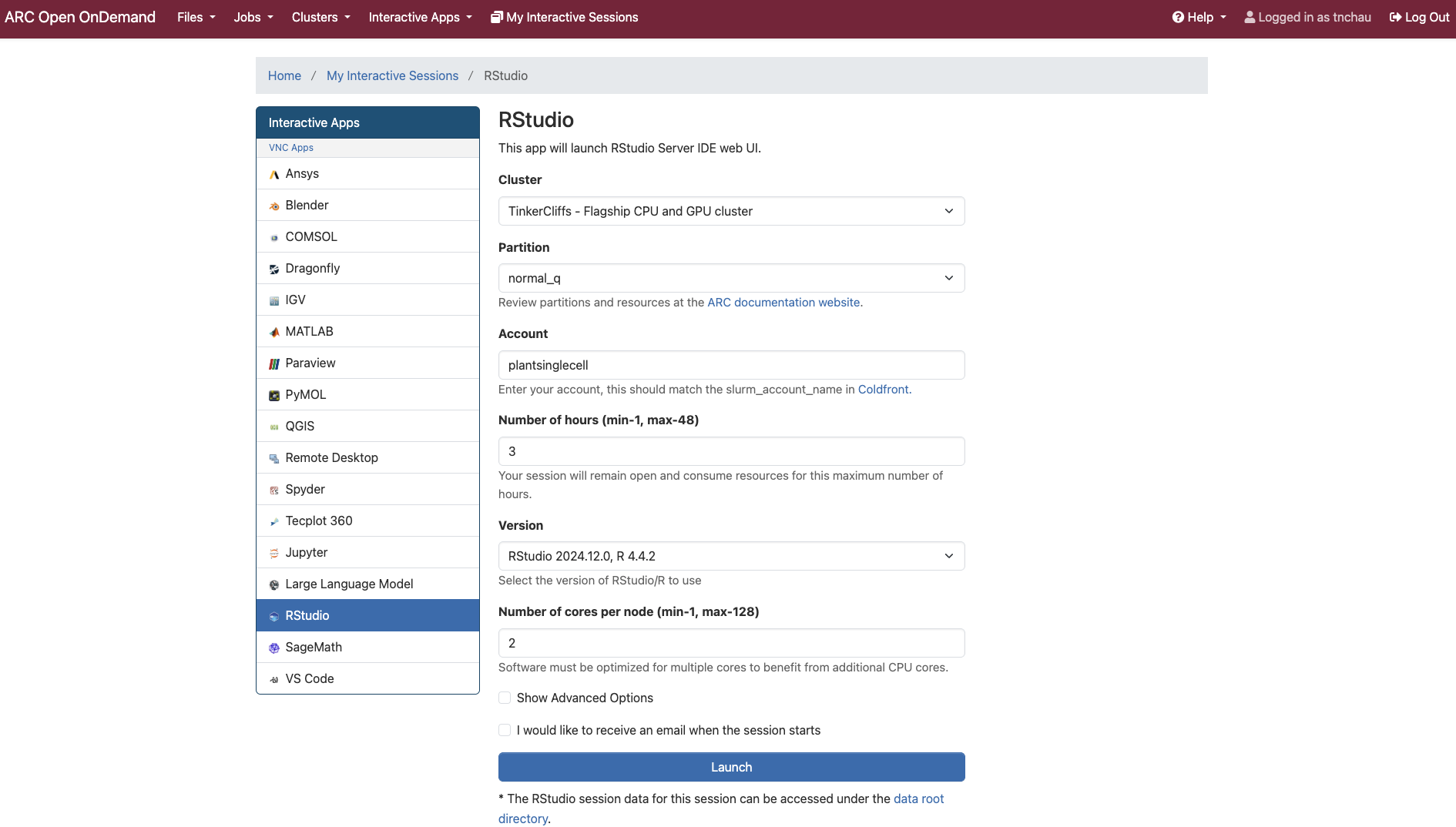
4.1: Select Cluster
You can choose from three available clusters:
- TinkerCliffs: CPU-based (general use)
- Owl: CPU-based
- Falcon: GPU-based
4.2: Partition
Partitions define the scheduling queues available for a given cluster. Choose the appropriate one based on your selected cluster
Refer to ARC documentation for details:
VT ARC Compute Resources
4.3: Account
This refers to your allocation name. For this guide, we use:
plantsinglecell
You can view your active allocations in terminal with:
quota
4.4: Number of Hours
This sets how long your RStudio session will last. You can choose between 1 to 48 hours.
4.5: R Version
Choose the appropriate R version available on the cluster.
4.6: Number of Cores per Node
This defines the number of CPU cores allocated for your session.
4.7: Launch
Once all fields are configured, click the “Launch” button to start your RStudio session. It may take a couple of minutes to initialize the environment. Once it is ready, you will see a confirmation and a “Connect to RStudio Server” button.
